AMOLED vs LCD: Which Phone Display Should You Buy?
Confused between AMOLED and LCD? Compare colors, battery life, brightness, eye comfort, durability and price to find the right display for your next phone.
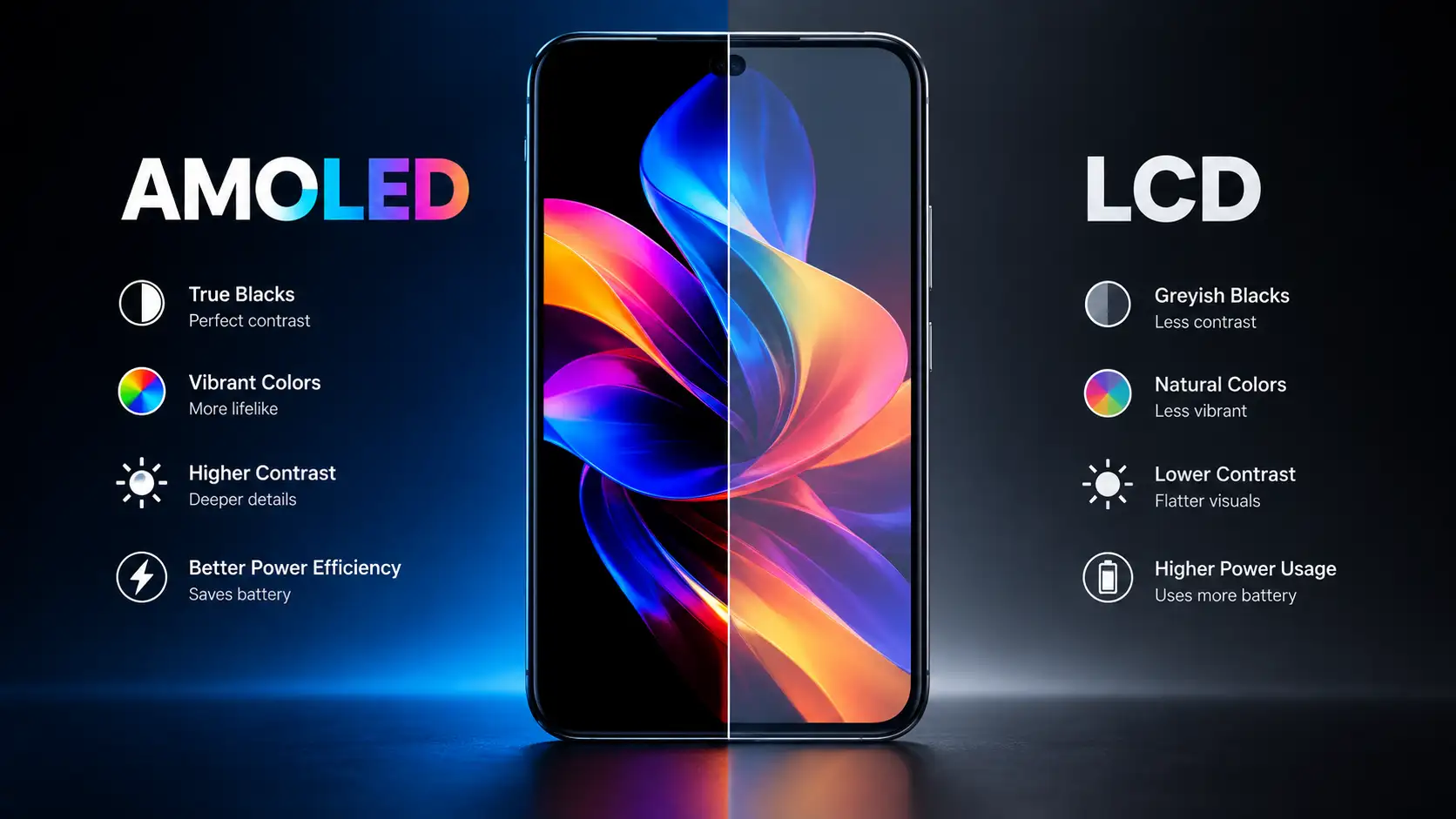
By Alishan | October 28, 2026
When you shop for a new smartphone, the spec sheet is full of numbers: processor, RAM, camera megapixels, battery capacity. One line is easy to skip, yet it affects your experience more than almost any other: the display type.
You look at your phone screen for hours every day. It’s where you watch videos, scroll social media, play games, read messages and take photos. So the choice between AMOLED and LCD isn’t just technical trivia. It shapes how your phone looks, how long the battery lasts and how comfortable it is on your eyes.
Table of Contents
In this guide, we break down both technologies in plain language so you can decide which one suits your budget and habits.
What Is an LCD Display?
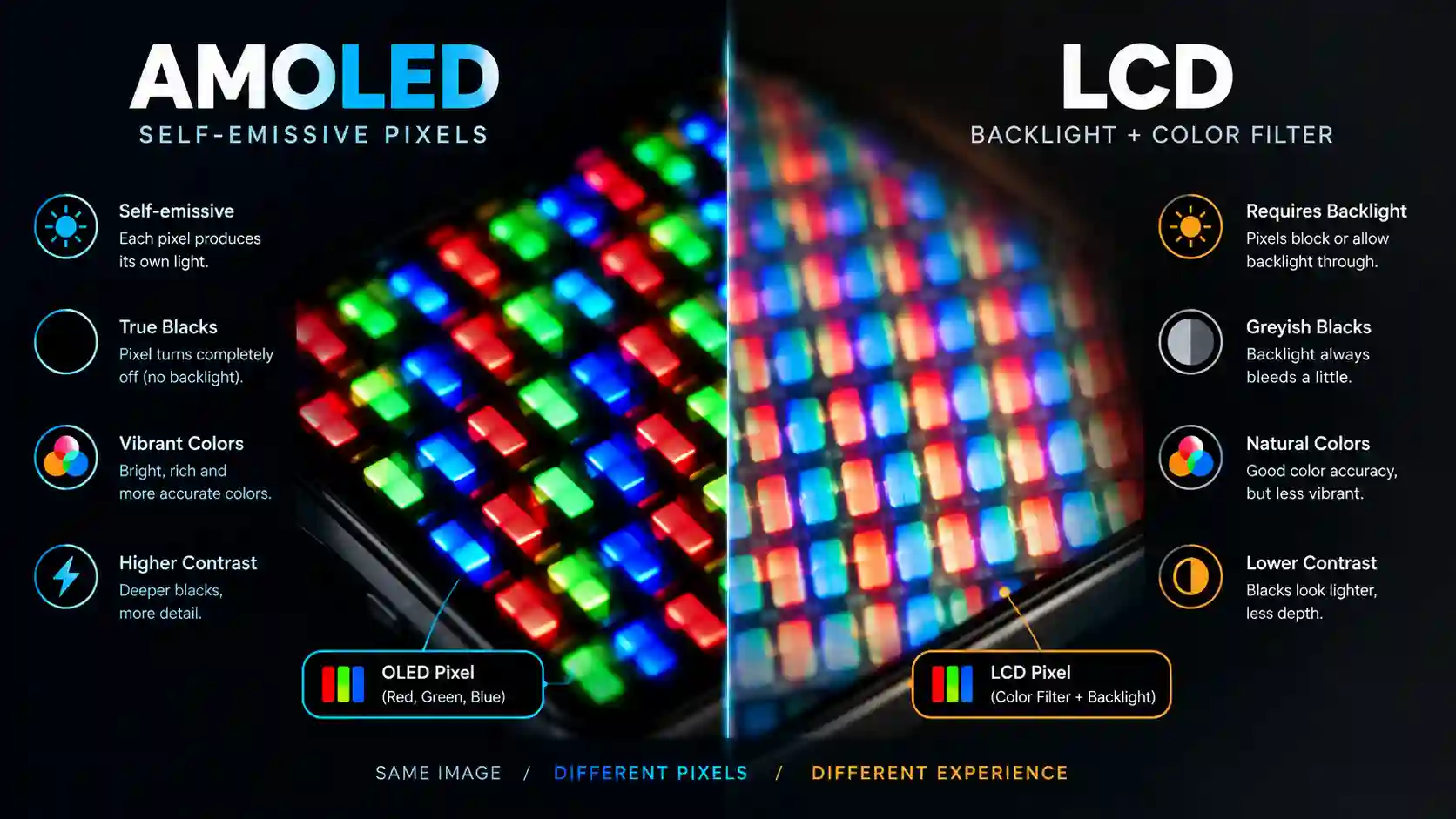
LCD stands for Liquid Crystal Display. The key point is that LCD pixels do not produce light themselves. Instead, a backlight sits behind the screen. Layers of liquid crystals, polarizers and color filters then control how much of that light reaches your eyes and in what color.
Most LCD smartphones use IPS (In-Plane Switching) panels. IPS became popular because it offers wide viewing angles and natural-looking colors, which fixed the washed-out look of older LCD screens.
Where you’ll find it: budget and entry-level phones, some mid-rangers, and many tablets and monitors.
What Is an AMOLED Display?
AMOLED stands for Active-Matrix Organic Light-Emitting Diode. Here, every pixel is a tiny light source. Each one can switch on, switch off or dim independently, so there is no need for a backlight.
That one design difference explains most of AMOLED’s advantages. When a pixel needs to show black, it simply turns off completely.
You’ll also see marketing names such as Super AMOLED, Dynamic AMOLED and LTPO AMOLED. These are refinements of the same core technology:
- Super AMOLED: integrates the touch layer into the panel for a thinner display.
- Dynamic AMOLED: a branding used for higher-end panels with strong brightness and HDR support.
- LTPO AMOLED: allows the refresh rate to drop as low as 1Hz and rise to 120Hz, saving battery.
AMOLED vs LCD: Head-to-Head Comparison
| Feature | AMOLED | LCD (IPS) |
|---|---|---|
| Black levels | True black, pixels switch off | Dark grey, backlight glow |
| Contrast | Excellent | Good |
| Colors | Vivid and punchy | Natural, sometimes flatter |
| Battery use | Efficient with dark content | Consistent regardless of content |
| Peak brightness | Very high on flagships | Good, usually lower |
| Viewing angles | Excellent | Very good |
| Thickness | Thinner, supports curved designs | Slightly thicker |
| Burn-in risk | Possible over years | Almost none |
| Flicker (PWM) | Can affect sensitive users | Typically less of an issue |
| Price | Higher | Lower |
1. Picture Quality and Colors
This is where AMOLED shines. Because each pixel controls its own light, you get deep blacks and strong contrast. Watching a space documentary or a dark movie scene on AMOLED looks dramatically different. Stars stand out against a truly black sky, while on LCD the same scene shows a faint grey haze.
Colors on AMOLED also tend to look more vibrant and saturated, which many people love for photos, videos and games. Some users prefer the more neutral, natural tone of a well-tuned LCD, especially when they care about color accuracy over punch. Most AMOLED phones now include display modes (natural, vivid, adaptive) so you can adjust the look.
Winner: AMOLED for impact and contrast.
2. Brightness and Outdoor Visibility
Brightness matters when you use your phone under harsh sunlight. Modern flagship AMOLED panels reach extremely high peak brightness, which makes them easy to read outdoors and helps HDR content look dramatic.
A decent LCD can still be bright enough for everyday use, but budget LCD panels often struggle in direct sun. One thing to remember is that peak brightness is only reached for short periods in small areas, so also look at typical brightness numbers in reviews.
Winner: AMOLED, especially in premium phones.
3. Battery Life
The answer here depends on how you use your phone. An LCD backlight stays on whether your screen is showing a white webpage or a black wallpaper. AMOLED pixels, however, use little to no power when they display black.
That means dark mode, dark wallpapers and dark apps can noticeably extend battery life on AMOLED. If you mostly view bright, white content at high brightness, the advantage shrinks, and in some cases an efficient LCD can match it. Combined with LTPO’s variable refresh rate, newer AMOLED phones are generally more efficient overall.
Winner: AMOLED, particularly for dark-mode users.
4. Eye Comfort and PWM Flicker
This is the most debated topic. Many AMOLED screens control brightness through PWM (pulse-width modulation), which rapidly flickers the pixels on and off. Most people never notice, but a small group experience eye strain or headaches, especially at low brightness.
Manufacturers have responded with high-frequency PWM dimming, often well above 1,000Hz, which reduces the issue for many users. LCD panels usually use DC-like dimming through the backlight and are generally considered gentler for flicker-sensitive people.
If you know you are sensitive, check reviews for PWM frequency before buying an AMOLED phone, or try the phone in a store.
Winner: LCD for sensitive users, though modern AMOLED has closed much of the gap.
5. Durability and Burn-In
Organic materials in AMOLED pixels age over time, and different pixels can age at different rates. If the same bright element (like a navigation bar) stays on screen for very long periods, it can leave a faint ghost image known as burn-in.
On modern phones this is far less common than it used to be. Pixel shifting, improved materials and software safeguards help, and most people replace their phones before it becomes visible. LCD does not suffer from this issue in the same way, which makes it a safe choice for devices that show static content for hours, such as a kiosk or a dedicated dashboard.
Winner: LCD for long-term resistance to burn-in.
6. Design and Refresh Rate
AMOLED panels are thin and flexible, which is why curved edges, punch-hole cameras, slim bezels and foldable phones are mostly built on OLED-type technology. In-display fingerprint sensors also work better and more reliably under AMOLED screens.
Smooth 90Hz and 120Hz displays are now available in both types, but AMOLED phones are more likely to offer high refresh rates alongside fast touch response and adaptive refresh.
Winner: AMOLED for modern design and features.
7. Price and Value
LCD panels are cheaper to manufacture, which keeps budget phones affordable. AMOLED used to be limited to flagships, but it has steadily moved into mid-range and even some low-cost devices. That means in many price brackets you can now get an AMOLED phone without a huge premium.
Winner: LCD on pure price, though AMOLED often gives better value as prices drop.
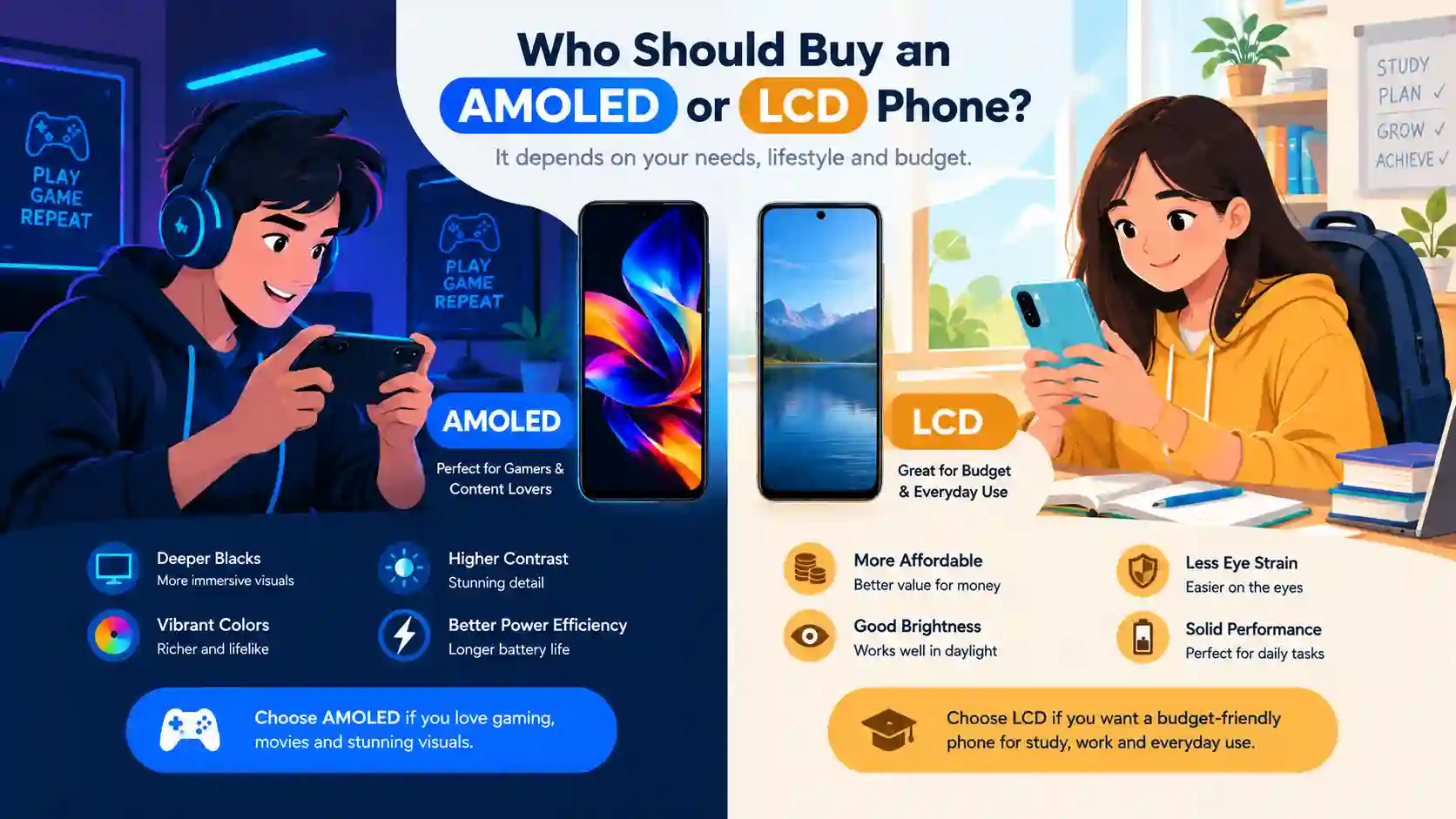
Who Should Buy an AMOLED Phone?
Choose AMOLED if you:
- Watch a lot of videos, movies or short-form content
- Play games and want vivid colors and smooth visuals
- Use dark mode regularly
- Want a slim, modern, premium-looking design
- Care about outdoor visibility
Who Should Buy an LCD Phone?
Choose LCD if you:
- Are on a tight budget and want the best value
- Are sensitive to screen flicker
- Keep static content on screen for long periods
- Prefer natural, less saturated colors
- Plan to use the phone for several years in a demanding setup
Common Myths About AMOLED and LCD
Myth 1: AMOLED always burns in. Burn-in is possible but uncommon in normal daily use on modern phones.
Myth 2: LCD is outdated. A well-made IPS panel still looks excellent and remains a smart choice for budget buyers.
Myth 3: Higher resolution means a better display. Brightness, contrast, color accuracy and dimming behavior often matter more than resolution alone.
Myth 4: AMOLED is always better for your eyes. Eye comfort depends on PWM frequency, brightness settings and individual sensitivity.
Final Verdict
So, which is better: AMOLED or LCD?
For most buyers, AMOLED is the better display technology. It offers deeper blacks, richer contrast, better outdoor brightness, slimmer designs and improved efficiency with dark content. If your budget allows it, AMOLED delivers a noticeably more premium experience.
That said, LCD is far from dead. It remains an excellent option for affordable phones, flicker-sensitive users and people who want a display with no burn-in worries. The best choice depends on your priorities rather than a single winner.
If you are choosing a new phone, check the full specification of the display, including panel type, peak brightness, refresh rate and PWM frequency, before you decide. Browse our latest phone listings on Mobilelistify to compare models with both display types.
Frequently Asked Questions
Is AMOLED better than LCD?
For most users, yes. AMOLED provides better contrast, deeper blacks and richer colors, while LCD wins on price and flicker comfort.
Does AMOLED drain more battery?
Not necessarily. AMOLED can save battery with dark content, though very bright, white-heavy usage can narrow the difference.
Is AMOLED bad for your eyes?
Not for most people. Some users are sensitive to PWM flicker, so look for phones with high-frequency dimming.
What is the difference between AMOLED and Super AMOLED?
Both use the same core technology. Super AMOLED mainly integrates the touch layer into the display for a thinner panel.
Which display lasts longer?
LCD is less prone to burn-in, but modern AMOLED panels are built to last for the typical life of a phone.
Comments
0Share your thoughts about this article.
Leave a Comment
Join the discussion.
Login to join the discussion.
Login to CommentNo comments yet
Be the first to join the discussion.